App Store Connect Help
App Store Connect Manage submissions to App Review Submit Apple-hosted asset packs
Submit Apple-hosted asset packs
Asset packs must be reviewed before they can be tested externally in TestFlight or made available for users on the App Store. Learn about submitting asset packs for external testing.
Once an asset pack version is approved for the App Store, it’ll automatically be available to all App Store users, and any previous versions of the asset pack will be replaced with the new one.
If your app hasn’t been approved yet and you want to submit an asset pack version, include the asset pack version in the same submission as your first app version. After your app is approved, you can submit an asset pack version with or without an app version. However, if a new app version requires a new asset pack to function, include a version of that asset pack in the same submission as the new app version. You can also add other items to a submission, such as In-App Events.
You can include up to ten different asset packs in a submission, with one version of each asset pack permitted at a time.
Required role: Account Holder, Admin, or App Manager. View role permissions.
-
In Apps, select the app you want to view.
-
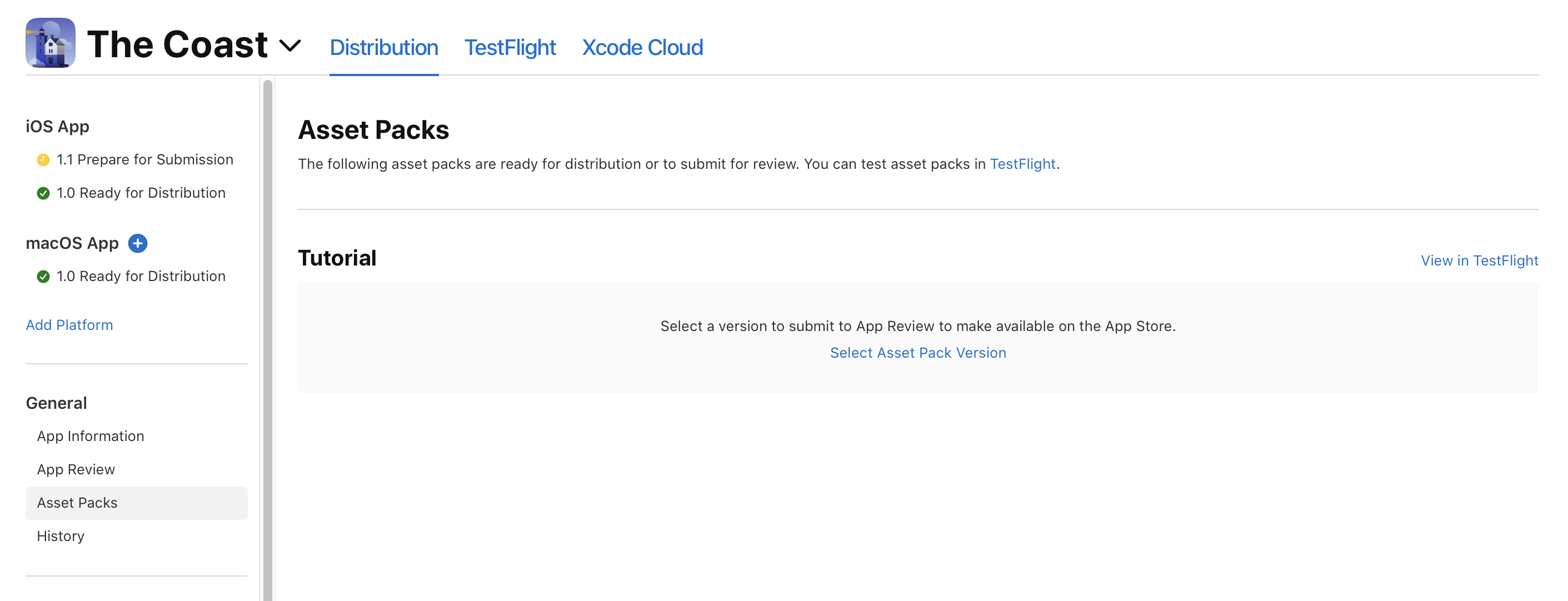
In the sidebar, under General, click Asset Packs.
If you haven’t uploaded any asset packs yet, the Asset Packs section won’t appear.
-
On the right, find the asset pack ID with the version you want to submit.
-
If this is the first version you're submitting for the App Store, click Select Asset Pack Version. If you already have a version available on the App Store, click Replace.
Note: Asset pack versions that are packaged using a beta Managed Background Assets packaging tool can’t be added for review.
-
Select the asset pack version you want to submit to App Review.
-
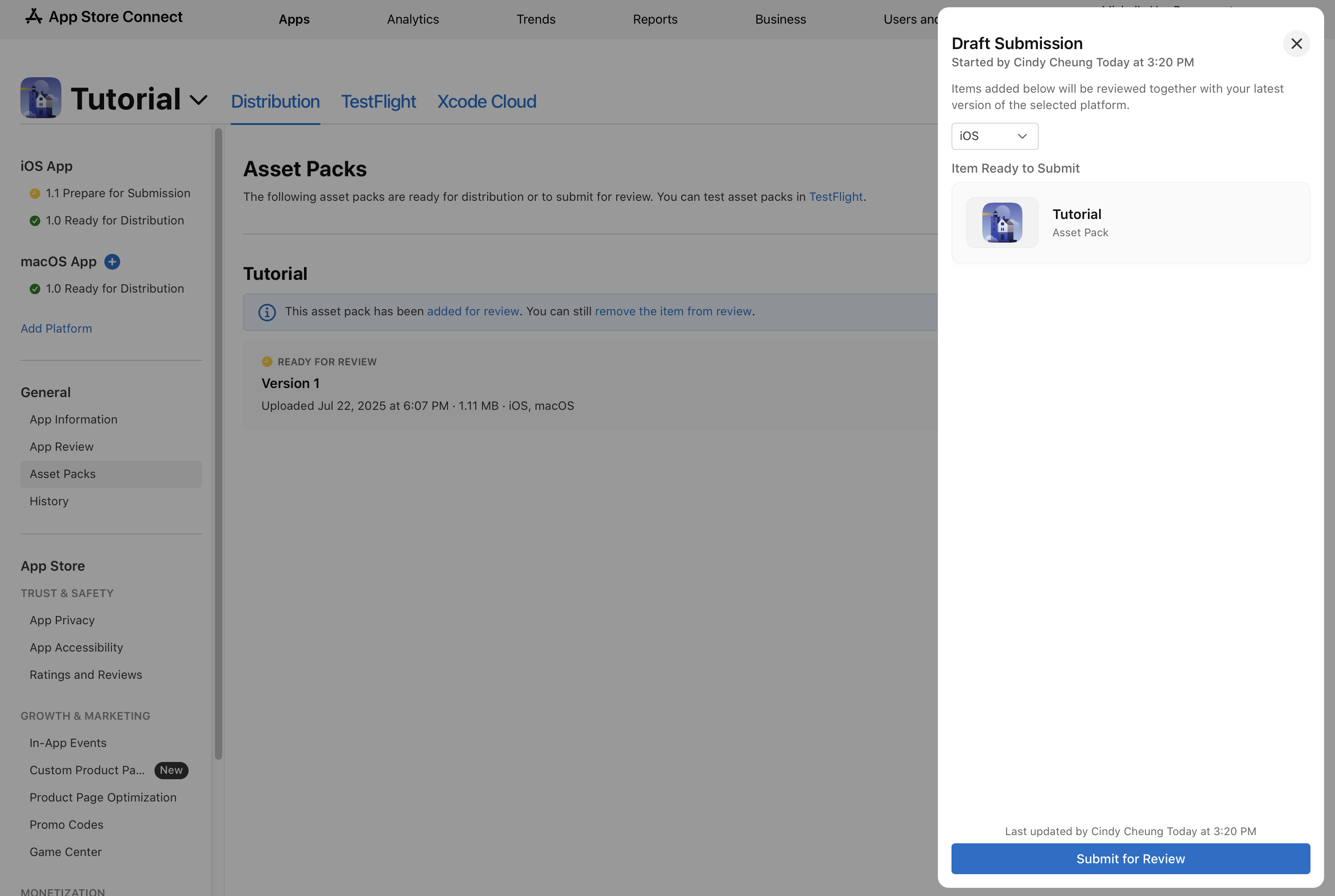
Click Add for Review, then select whether to add the asset pack version to an existing draft submission or create a new submission. The asset pack version’s status changes to Ready for Review.
If you’re submitting the asset pack for review with an app version, it will be reviewed together with that app version.
If you’re submitting the asset pack for review without an app version, or your submission includes items associated with multiple platforms, select a platform in the draft submission screen. The asset pack version, and any other items in your submission, will be reviewed together with the latest version of the selected platform.
You may choose to add other items to the submission.
-
Click Submit for Review. The asset pack version’s status changes to Waiting for Review. When the review process starts, the status changes to In Review. Learn more about Apple-hosted asset pack statuses.