App Review Help
App Review Guideline reference 4.1 - Preventing copycat and impersonation rejections
4.1 - Preventing copycat and impersonation rejections
App Review rejects apps that copy other apps, and closes accounts that repeatedly submit copycat apps or attempt to impersonate a service. Focus on original ideas and experiences that aren't already available. Rather than replicating an existing app's functionality, name, or branding, invest in developing a distinct concept, unique design, and features that offer real value to users and set your app apart in the App Store.
The rules that prevent copycat and impersonator apps from being distributed on the App Store are described in App Review Guideline 4.1:
4.1 Copycats
(a) Come up with your own ideas. We know you have them, so make yours come to life. Don't simply copy the latest popular app on the App Store, or make some minor changes to another app's name or UI and pass it off as your own. In addition to risking an intellectual property infringement claim, it makes the App Store harder to navigate and just isn't fair to your fellow developers.
(b) Submitting apps which impersonate other apps or services is considered a violation of the Developer Code of Conduct and may result in removal from the Apple Developer Program.
(c) You cannot use another developer's icon, brand, or product name in your app's icon or name, without approval from the developer.
These requirements help make the App Store both a safe place for people to discover apps and a platform for all developers to be successful.
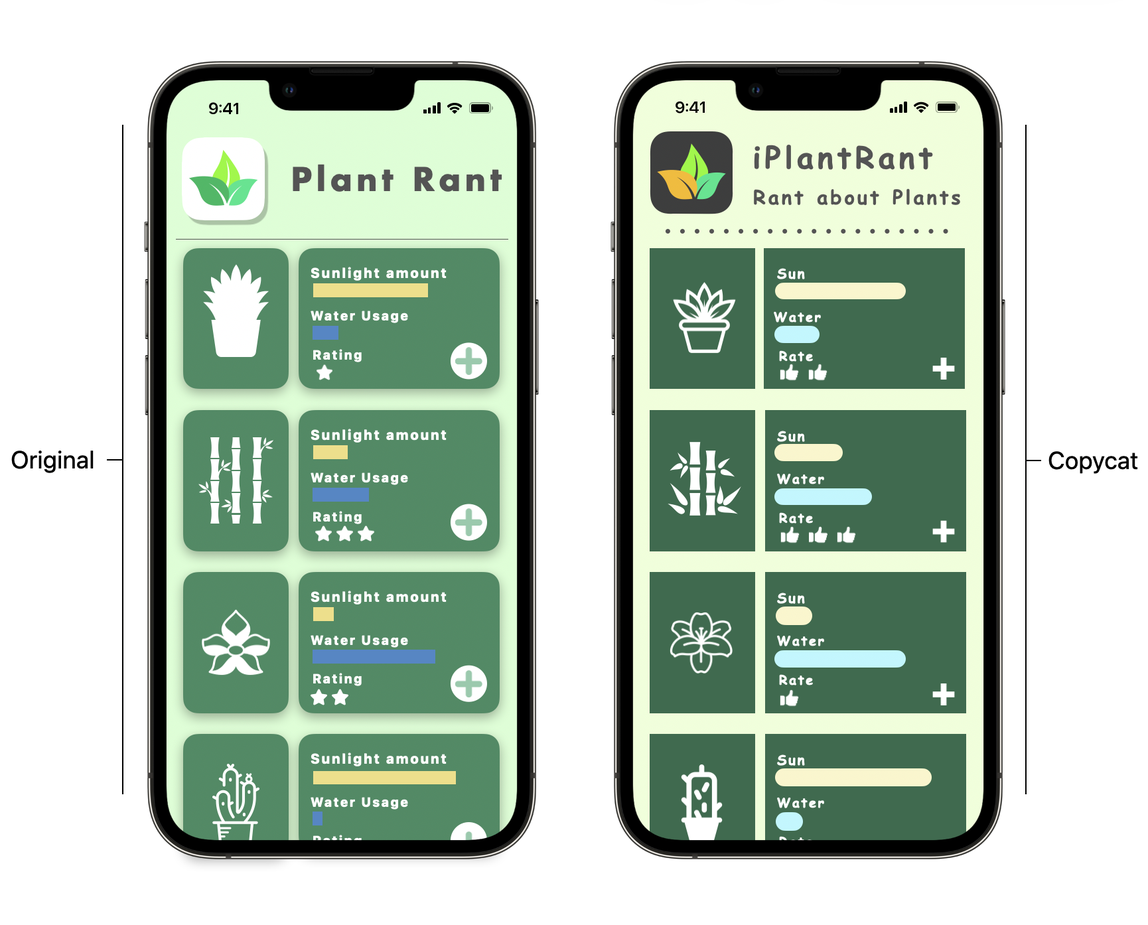
Best practices to prevent copycats
Submit apps with unique content and features.
People want unique app experiences. Find an underserved audience and build a compelling app just for them.
Do
-
Create apps that provide a new experience or a unique spin on an existing concept.
-
Design original, delightful interfaces that elegantly meet people's needs.
Don't
-
Don't imitate the features and functionality of other apps.
-
Don't copy the look and feel of other apps.
Keep App Store metadata accurate and relevant.
The metadata you provide in App Store Connect appears on your app's product page on the App Store. People rely on this metadata to learn what your app offers, so leveraging another brand's or app's popularity, through irrelevant references or by including protected content, is misleading and won't help your app succeed.
Do
-
Use engaging, descriptive language to describe your app.
-
Create original content that best represents your app. Include screenshots that show the actual app in use.
Don't
-
Don't use protected material without the necessary permission.
-
Don't include references to popular app names or trademarked terms in any metadata field.
Provide authentic and verifiable information.
People want to know that the developers behind their favorite apps are who they say they are. Keep your account and app information, like your developer or company name and Support URL, accurate so users can reach you and impersonation is harder.
Do
-
Keep all information, resources, and documentation related to your account and apps current and accurate.
Don't
-
Don't provide inaccurate or outdated information or resources, such as directing people to old support pages.
-
Don't provide fraudulent documentation. Accounts that submit fraudulent documentation will be removed from the Apple Developer Program.