

-
Create stories with immersive video and audio
Learn the foundations for creating compelling and powerful stories when creating Apple Immersive Video and spatial video experiences. Discover techniques for establishing presence, building authenticity, working with proximity, and creating connection.
This session was originally presented as part of the Meet with Apple activity “Create immersive media experiences for visionOS - Day 1.” Watch the full video for more insights and related sessions.Resources
Related Videos
Meet with Apple
-
Search this video…
Good morning, folks. It's great to be here. My name is Elliot, and I help creators bring to life their spatial and immersive projects for Apple Vision Pro. I picked up my first 360 camera many moons ago, but my journey with spatial video and Apple Immersive Video began a little over four years, and since, I've directed and produced some of our exciting Apple Immersive titles.
More recently, though, I've been supporting some incredibly talented independent creators as they bring their own stories to Apple Vision Pro, whether that's through Apple Immersive Video or Spatial Gallery.
And in fact, I think I can see a few familiar faces, so maybe it's a good time just to say hello. You know, pioneering new storytelling methods, new formats, new technologies is always an industry wide effort. And so it's awesome to see so many of the immersive, creative community here with us today. And not forgetting those of you joining us online all over the world.
I can't wait to meet more of you, hopefully later today. Hear more about your projects and how your productions are going. And speaking of those productions, I wanted to share a little thought.
Whilst supporting creators as they bring their stories to Apple Vision Pro, there's always one question that comes up right at the start of every project, and it didn't matter if it was here on submerged with a complex studio shoot with underwater filming, or maybe a simple spatial capture with just one subject, like here with our special gallery posts. It was always the same question and it went something like this. Usually, okay, this is really cool, but where do I actually start? And so today I want to do as much as I can to help you get started. Now we have a packed event for these types of technologies full of lots of deep dives tomorrow for example, so you'll get to know everything you need to know. But in this session, I want to focus on what the foundations that Apple use are when we create compelling and powerful linear media stories for Vision Pro.
First, I want to touch on how you can design your projects for difference. We'll look at how you choose formats and create differentiation in your story.
Then I want to introduce you to what I like to think of as the creative superpowers of spatial and immersive mediums presence, authenticity, proximity, and connection.
And who knows, I may even introduce you to a mysterious little side project that I'm in the works on. But more on that later. Let's dive in with how we can design our immersive stories for difference, and keep that in mind when setting out designing Apple Immersive media for Vision Pro. One of the most important questions you can ask is why choose immersive for this project? Because today there are so many incredible storytelling formats to choose from. From the simple but effective like books, the traditional flat screen film and TV. Perhaps where most of us get our favorite content today, there's Podcasts where just audio alone can take us to new worlds and immerse us. And there's even theater with its power to create a shared human experience that's live.
The most important part of choosing immersive media presentation is to make sure that your story is the right fit for it. That, compared with all these other formats, when told on Apple Vision Pro, it's the best and the most compelling version of it. If you feel this, so will your audience.
And so when it comes to immersive formats, there's really been no better time to start creating. So whether you're just getting started in your career or perhaps you're a seasoned professional working in a studio, we're in this really exciting moment where there's now an immersive tool for every type of story, creator and ambition, just like Tim showed us, we've now got an incredible choice of formats covering different types of immersion, presentation and application.
But tools alone can't bring our stories to life. So it's worth considering each of these formats and what their creative potential could be for you, your stories, and your project's ambition.
Maybe you want to capture something genuine, a real moment, but with a sense of depth. But that said, you don't want to dive in at the deep end of 3D filmmaking to make it work. That's where spatial really shines. It's a great way to explore how dimension can pull people into your stories, whether that's for a short film or you just need a simple and approachable capture setup.
Working with 180 and 360 can be fantastic, especially if you're creating immersive experiences from footage that perhaps you already have. It's perfect for when full immersion is essential, like you're producing an educational experience. Or perhaps you want to bring someone inside a travel story.
Or maybe, just like it's crossed everyone's minds at some point, you want to capture an extreme sport from a truly intense point of view perspective. And with immersive presentation, well, then something like wide Field of View using App Nap would be a great choice for that.
And if you're ready to tell a truly cinematic story, one where presence and incredible detail become part of the language of storytelling, then Apple Immersive could be the perfect choice. It's built for creators who want professional quality, advanced industry workflows and a way to tell stories that simply didn't exist before.
Of course.
Your format choice is also going to depend on where your audience find your stories. So if you can, it's important to choose your distribution as early on in the project as possible.
That could be here on the App Store building an app, and it's with an approachable way to create a bespoke experience, perhaps one that brings your immersive videos together with interactive 3D elements. It's a powerful way to design for branded experiences or enterprise, or even just custom experiences that feel totally unique.
Or if your goal is to reach as many people as possible as quickly as possible, then you could stream your film directly through Safari on visionOS 26. It's a fast and effective way to share immersive stories with a wide audience. No app build required, And what I'm really excited about. You could upload and share your work directly on Vimeo. It's a great option for when self-hosting might not be practical within your scope, such as those working on educational, cultural, or perhaps public projects.
And if you are a professional network or studio where we're continuing to support the distribution of the highest quality Apple Immersive Video through the Apple TV app and Federation, it's the best way to deliver premium Apple Immersive stories to audiences all around the world.
Whatever your distribution plans are, it's important to remember that the audience expectations are very high to truly capture their attention. Your stories need to stand apart and offer something that feels different, something that makes people want to explore new forms of entertainment.
So be it for scripted entertainment like here with submerged or non-scripted, like Canal Plus's documentary tour de force, or even enterprise experiences like the training app flight site by Rogue Labs. Make sure your story feels different in immersive formats. Audiences expect more than just a new view. They expect a new feeling. And to deliver that, you're going to have to ensure that your story has differentiation.
For example, I'm a little bit of a nature buff, and I've seen lots of natural history documentaries on the TV. And I don't know about you, but diving with sharks and Wildlife episode two felt completely different. It wasn't just another documentary. It gave me a chance to genuinely feel what it would be like to swim alongside sharks, to share a space with them.
And that's not something we can get on TV or even at an aquarium. It's only possible through immersive video experiences.
Now, these new formats have introduced storytelling tools that have changed how we can create and how audiences can connect.
But discovering how you can use them isn't always obvious.
When the teams at Apple set out several years ago, they expected the true power of the medium to be in teletransportation the idea that you could take anyone, anywhere in the world instantly.
They could take you, for example, to the northernmost reaches of Norway, the Lofoten Islands. The landscapes were breathtaking. You could see the wind sweeping over the summits, the waves breaking gently on the ocean and with Apple Immersive Video you could even see the horizon in remarkable detail. But in trying to tell a story, it was clear that there had to be something deeper.
After a wee while of looking around, it felt a little bit like looking at the front of a postcard. The feeling of immersion alone wasn't quite enough.
That's why in boundless you don't just travel to the Lofoten Islands, you spend time there with those that make it their Playground meeting and surfing alongside what I think are some pretty brave souls in wildlife. For example, you don't just see the rainforest of Borneo's Sepilok region, you meet those that call it their home. You get to play, share glances that feel unmistakably human. And if you're lucky, you might even get a little scratch on the cheek If you look closely at the heart of these experiences and what sets them apart, you'll find some key foundations that are repeated. And these are the same foundations we're going to be talking about today presence, authenticity, proximity and connection.
As you bring your immersive or spatial stories to life, these elements can become the building blocks of what makes your experience delightful and meaningfully different for your audience. You can think about them as your creative superpowers, but as I'm sure all the immersive heroes amongst you know, with great power comes great responsibility. So let's keep that in mind as we look at each one a little bit more carefully.
Rather than just show you the final result, though, I'd love to bring you along on the journey to share what it takes on how to bring these foundations to life in your own projects, and maybe some of the new considerations and responsibilities that come with leveraging them. So with that, I want to introduce you to a little side project of mine. I'm exploring what's possible to bring to life. Are we sci fi short film I've been wanting to make using Apple Immersive Video based in a mysterious planet. It's about a friendly astronauts wacky adventures through a shimmering desert landscape. And who knows, maybe even some mysterious creatures too.
Now, alien planets and spaceships are pretty expensive, right? So we're going to be using Pre-visualization or previs and hear how it's shaping up so far. We've got our astronaut friend what looks to be their spaceship, and it looks like we've landed in a mysterious desert. Perfect. Now, whilst this is just my pet project, sadly, it is one of the best ways that I can show you what I and the team have learned over the past few years. So we'll be seeing more of our friend in just a moment. But for now, let's dive in to the first Foundation presents.
With spatial and immersive formats on Apple Vision Pro, your audiences can experience your story as if they were right there at the moment it was captured. And that changes everything, because the viewer can now feel present and a new set of creative considerations come into play.
No longer are you directing stories for a flat, rectilinear screen. In that world. Every frame had Hat edges, and filmmakers had complete control over what the audience could see. Every shot, every cut designed to guide the attention of the audience inside a fixed window.
But in immersive storytelling, that frame disappears.
You're now presenting within a boundless space a volume where once what was just a camera has now become the audience, the eyes of all of your audiences.
With the power of presence, you now have access to some fundamental differences from traditional flat screen video production. Human peripheral vision, for example, and accurate scale and depth. And together, these allow your audience to experience a place or a story as if they were really there.
Presence can enable you to create a deeper connection with your audience. They can sense the pressure, feel the atmosphere, but most importantly, they also feel like they're truly part of it. The NBA All Star Weekend film is a great example of this. It doesn't just show you what happened. It lets you feel what it was like to be there.
Now, this type of new experience is one that can be experienced physically and emotionally. And unlike film, TV, or even theater, you can now take your audiences anywhere.
And we call this high fidelity of presence. It's fundamentally new to both audiences and creators.
But how do we create presence? And how do we craft it? Well, a great place to start with that is composition, crafting the basics of the scene that our audience will visit and be a part of. Let's see what that looks like in practical terms, though, it's time to bring in our sci fi project, and I'm going to begin by establishing an opening shot.
This will look pretty similar to anyone who spent time in traditional filmmaking. But remember, in immersive formats, that familiar frame is now unbounded. There is no single point of view. The first place we'll see that difference is on the camera monitor itself, because it won't look like this. Instead, it will look like this.
And in practice, this is the same image presentation you'd see when using an immersive camera, just like the Blackmagic Ursa CD Immersive Camera, for example. That's the one I'm hoping to use. It's the exact view you'd see on the onboard camera monitor.
You'll notice a few key things here. The image is now a one by one aspect ratio. Around the edges, you'll notice a little bit of compression, right? Objects that should be straight are now distorted, and across the entire frame you can see a full 180 degree scene.
But this new perspective is only half of the puzzle. Because just as important as how we see this on set is how our audience will see it.
And for exactly the same composition, this is how our audience would see it in Vision Pro.
Here you'll notice a few differences, such as the edges of our view are softly feathered. That creates a natural sense of focus. The image is now perfectly rectilinear, there's no distortion or curvature, and most importantly, the viewer's field of view stays focused until they move their head and explore the scene.
When we view them side by side, you can really see how big that difference is and what we need to think about when we're on location. With immersive content, we're no longer just framing a shot. We're responsible for managing a viewer's agency inside a 360 degree world.
So what's the best way to compose with these considerations? Well, let's take a look at what we have.
Here's the scene I'm working with. I've framed up on our slightly confused astronaut, perhaps wondering what brought them to crash upon the planet and their ship to fail on them. But I've composed this scene using traditional techniques. Right? The rule of thirds balances out the frame. I've lowered and tilted the camera to make the shot feel more dynamic and interesting, perhaps even cinematic.
But I can already see a few of you seasoned, immersive filmmakers wincing in the audience because whilst this looks great here on our camera monitor, things are about to look very different when we step inside the audience's view. And in Apple Vision Pro, the audience would experience this pretty differently. That exact same composition now leaves them staring at, well, nothing really.
There are going to be unsure on perhaps where they're looking or even what they're looking at, and it could take several seconds for them to explore the scene and finally discover that focal point of the story. Those are seconds. They're not going to be looking at our astronaut, the ship, or even thinking about the story I'm trying to tell.
Combined with unnatural camera height and the tilt. Also, this could make for a pretty disorientating scene. So how can we improve this? Well, first we're going to want to be careful about relying on rectilinear framing techniques that might be approaches like balancing the frame with waiting, or using overlay grids like the rule of thirds.
Yes, even Fibonacci's golden ratio might not help you here.
An inconsistent camera angles. They can feel pretty disorientating and disturb that sense of presence with immersive cameras. We need to get comfortable with a different approach, one that's built around space, distance and how people actually experience the world.
So instead, I'm going to compose this shot using depth and dimension. By using distance and parallax, we can guide the audience's eye through the space instead of across a rectangle. And in the end, we can end up with results that still feel cinematic. Let's check it out for this composition. I started by backing the camera away to create a stronger sense of depth in the foreground. We've got this large rock. It relieves our eyes into the mid-ground. And there you'll find our astronaut in the background. We have a few cactus to anchor the environment.
You'll also notice the horizon is now level, and that matches our audience's natural expectations. And the camera height aligns with the eyeline of our astronaut. So we feel like we're present with them, like we're together in the same space.
Now, this looks pretty flat on this screen here, but if I move the camera a little bit, you'll see that depth come to life. This setup lets us use stereoscopic depth to guide the viewer's eye right into the scene for Apple Vision Pro and in Vision Pro the audience's perspective finally feels right. We're immediately drawn into the space and our attention goes exactly where it should. It's clear what's happening, and we can instantly feel present in the moment, with our astronaut just looking a little sorry for himself.
And if we add a little simulated parallax to mimic the 3-D effect of being in device, you can see how proximity of the rocks and the distance cacti naturally guide our eyes right towards the middle of the scene.
Here we're using depth itself as a compositional tool, but techniques like leading lines or concentric circles would equally have worked as well.
Nice. So there's our first shot in the bag. And at least when we do this for real, I hope I'll know exactly what I'm doing and hopefully that will make some producers happy. But for your own spatial and immersive projects. Think about how strong composition can help build a true high fidelity of presence, one that draws your audience in and keeps them there. And as you do remember, watch out for rectilinear traditional techniques like rule of thirds, camera tilt instead. Adapt your approach for immersive capture and prioritize depth and layers. And lastly, always consider the perspective of the audience. The only people who will see your film as a fisheye on a flat review monitor is you and your team.
And if you're looking for some great examples of this high fidelity of presence, I'd recommend checking out wildlife, especially the elephants episode. It's a beautiful example of presence that creates empathy and emotion. And for Spatial Audio. The Arthrex winter climbing Clips are very powerful. Their high presence and they also play with verité capture techniques, so they're pretty authentic.
And speaking of authenticity, our next foundation is authenticity. So let's look at it with Spatial Audio and Apple Immersive Video. We now have the opportunity to present stories with unprecedented amounts of authenticity. We can achieve that because as we've just explored, we're now capturing depth and scale.
And in the case of Apple Immersive Video, we're also capturing lifelike acuity.
So whether your story is scripted, a live performance or perhaps a documentary moment in Vision Pro, you're going to sense a subject as if you're meeting them in person, surrounded by a full 180 degree scene, complete with all the tiny details that make it real.
And this opens up pretty new, exciting opportunities like presenting non-scripted moments just like here in ice diving as part of adventure through Ant's body language alone. We can sense the genuine pressure of the moments before his world record dive. There's no editorialization needed.
And when he begins that dive, there is no question about the scale of what he's undertaking. As we swim with him, we can perceive the scale and distance of that world record being set before our own eyes.
Authenticity in immersive formats gives us the opportunity to tell powerful stories that now feel true to life. But to make sure we don't trip up on using this power. There are some things we'll want to consider carefully. One thing in particular and that's creative motivation. So let's look at what that means in practical terms.
It appears our astronaut is getting to work on some repairs on their spacecraft. So let's plan the next shot.
And this is what I'm thinking with this shot. We can see the nose cone of the of the spaceship open, and our astronaut is busy with their computer console. We're going to be able to follow the entire repair process perfectly. And I think the audience are going to love it. But there's an important consideration, right? We can see everything.
When we look at this audience's perspective. We can see everything inside the spacecraft, even the buttons, the wiring, every tiny detail. And if my motivation is to make this a realistic moment, then our astronaut can't fake it. They're going to have to actually perform a real repair.
They're going to need the right tools. They're going to need to move those tools correctly, perhaps remove some wiring, reconnect intergalactic capacitors. Suddenly it's all becoming very real, and getting some creative license here is a little harder to find.
With the power of authenticity, it's important to recognize how artifice can sometimes undermine both your story and the immersive experience. Now, considering artifice isn't new in filmmaking, but to the to the degree that we have to consider it in immersive, it absolutely is. Like we've just discussed, it's now possible to see even the tiniest details, like the subtle twitch of a contributor's body language that perhaps tells the audience that they're nervous in front of the camera, or how close someone is to real danger. Important, perhaps if you're attempting to up the stakes and produce something that feels more dangerous than it is. Audiences can now tell how large or small a character really appears to be. And if you want them to sense something as fast, then you're going to have to move the camera just as fast as you want it to be.
These new realities challenge us as filmmakers to think carefully about how we editorialize and sensationalize our stories. We might not be able to use smoke and mirrors in the same way we have before to keep authenticity. We can't just rely on Foley sounds or zooms or fast cuts in the edit to cover us.
So how can we ensure that we keep this scene authentic and avoid undermining our story? Well, I found it easier to get started with these new mediums by carefully selecting your subject.
And making sure that they're showing authentic skills and performances.
So in the case of our repair, I'm going to keep it simple and focused on the computer console.
And I'm also going to make sure that our astronaut has enough time to rehearse it properly. That way when we roll, they'll know exactly what to do.
Now, while what's in front of our camera is essential to establishing authenticity, preserving that authenticity means thinking about something else carefully. And that's audience agency.
Specifically, we need to consider their agency with the spatial and immersive content that we have. Our audience can now look anywhere whenever they choose to.
As a result, as filmmakers, we're now sharing that storytelling process with our audience. We're meeting them in the middle and in pursuing authenticity. That becomes a new responsibility, and it's one I'm going to try to keep front of mind as we shape our next scene.
I want to surprise both our astronaut and our audience with the arrival of this slightly curious looking creature. But in practical terms, how will this affect our audience's agency and my ability to keep that sense of surprise? I want our alien to pop up from the rock behind there on the right hand side, just enough to give our astronaut a little fright. Now, in traditional filmmaking, it might make sense for me to exaggerate this in the moment with something like a quick pan like this.
That way we can show the audience what's really happening and maybe give them a little fright as well. But in spatial and immersive storytelling, I need to remember that the camera is the audience. And I don't know about you, but the idea of someone grabbing my head and forcing me to look at something doesn't sound very pleasant. It's a sure way to break both agency and authenticity. So it's something I'll probably want to avoid. So how do we fix it? Well, one approach is by giving some of that storytelling agency back to the audience.
To do that, we can let the audience discover the creature for themselves. That way, they'll feel like they've noticed something that our astronaut hasn't, and that moment will feel genuine and entirely of its own.
We'll keep the camera positioned pretty much exactly where it was, but we'll meet the audience in the middle by using Spatial Audio to guide their attention to the event. Just like this.
Now, here on the screen, that might not seem all that exciting, but in Apple Vision Pro, the audience gets a chance to look over their shoulder and discover something delightful, if a little strange. Like this.
With this approach, we're preserving the audience's agency, and in doing so, making the story feel more authentic and more immersive.
So as you're pursuing your own authenticity, consider your motivation as a creator and the agency of the audience.
Watch out when introducing artifice or heavily producing a story and when working with talent, choose them carefully, prioritizing authentic skills and behaviors.
And always think through your creative motivation.
Do what you can to preserve the agency of the audience.
There are moments in Canal+ latest experience tour de force that I think do this perfectly, especially when we get to celebrate with Johan as he sprays you in the face with champagne. It feels so honest and so real, and it was exactly like being there in person. So go check it out if you haven't.
Okay, so we've talked about presence and authenticity. But underpinning both of these is the concept of proximity.
One of the most powerful foundations of spatial and immersive media is the ability to make our audiences feel physically close to both you and your stories and your characters.
With that, filmmakers can now give audiences the chance to experience moments that they might never do otherwise. Just like here in Open Hearts from the weekend where audiences sit opposite their favorite artists to experience an intimate music performance and a story unfold, using proximity allows you to craft stories that are felt as personal experiences and could even be remembered as memories, not just a video.
But how can we establish proximity? Well, that's going to start with camera distance. With the introduction of this perceived physical space between your audience and the story, you now need to think about proximity very differently than how filmmakers have before.
In traditional flat screen filmmaking, we zoom in and enlarge the image to bring the viewer a greater sense of proximity, perhaps a moment of intensity, but with immersive and spatial, we often have to think about fixed lenses. So we'll want to think about using physical space instead, and how it corresponds to the scene that we're trying to create.
But what do I mean by relative space? Well, to show you, I'm going to ask Sarah to join me on stage. Sarah is one of our incredible directors.
In our day to day lives, we're all used to different kinds of space and the proximity that comes with them.
Right now, Sarah and I are about 25ft apart. And that's a familiar space for public space, like an airport. Here, Sarah and I could walk past each other and we might not even notice one another.
If Sarah and I step in a little bit closer together. let's say to around 12ft, we'd be in what many people would call. Professional space here, we'd likely know each other's names, but we might not be ready to invite each other to our birthday parties. Sorry, Sarah. That's all right, then. If we come even closer together, perhaps to around six feet, this is likely to be a private space. Let's say it's a friend's house where Sarah and I can be comfortable in each other's spaces.
And finally, if Sarah and I step even closer together, let's say less than an arm's reach. This is what we would call personal space. And this is the type of proximity that we usually reserve for our close friends and our loved ones.
Now, Sarah and I, we've been on a few intense shoots together, so we're pretty comfortable in this space, but if we hadn't met before, this would be pretty uncomfortable to say the least. Thanks, Sarah. You're welcome. Thank you.
Now, while Sarah and I could move across the stage here today, these types of relative spaces are still important to consider when you are crafting your stories. Because in immersive and spatial experiences, your audiences can't simply step back if they feel uncomfortable cutting to a new shot. That someone to show someone that you've never seen before and they're inside your personal space staring at you is likely going to feel uncomfortable.
Audiences may end up leaving the experience altogether if that happens. So let's take a look at how we can use these considerations.
Are it looks like our alien is becoming a little bit more confident. So in this next shot, I want to introduce them to the audience properly. It would be rude not to. I also want to make sure that we really get a sense of who our alien is. So I'm going to say something that I'm sure everyone here has heard before, probably from a director or maybe an excited client. Let's get a close up.
And in traditional flat screen filmmaking, this is probably what we'd want. We can see the alien nice and big in frame, and with a little bit of depth separating them from the background. It's a great shot for introducing a character, and it also feels cinematic. But with an immersive camera, I'd have to think a little bit differently. If I try capturing the exact same perspective as this setup, I'd need to place the camera less than three feet from our alien.
Now that's well within an arm's reach, and definitely inside our audience's personal space. And while that might look okay here on the screen in Apple Vision Pro, it's a very different story. We are now way too close, and that's going to cause some technical problems like closed captions or even viewer comfort. But it would also cause issues from a story perspective when presented like this. What was meant to be a cute and playful introduction to a character has now turned into something that looks more like a horror film. And whilst that might be exciting for the horror producers out there, that wasn't my motivation. So let's solve it. To establish a more suitable sense of proximity, we'll place the camera at about six feet. It's still plenty close, but now it's not in our personal space. And when I add a little camera movement, you can get a sense of that distance.
In Apple Vision Pro. We can now get a sense of the real creature's size and their cuteness too. By keeping a little distance, I can save that feeling for intense proximity for later on. Perhaps once the audience has got to know our creature a little bit better.
Great. So there's no doubt that using proximity as a foundation in our stories can help surprise and delight audiences. But as you do, rethink what a close up really means, question your motivation and consider how it will make your audience feel.
Apply proximity through camera distance. Remembering the four P's of space public, professional, private, and personal.
And finally, use moments of extreme proximity that's closer than an arm's reach to the camera. Thoughtfully, and perhaps a little more sparingly.
If you'd like to check out some of the incredible moments of proximity we have on platform, then submerged on Apple TV would be a great place to start. And for Spatial Audio, Red Bull Air Force's wingsuit is a powerful example.
Now, proximity might seem like the most visceral foundation you can use in immersive storytelling, but to close out today, I'd like to discuss connection. Now get your capes ready because it comes with the most significant responsibilities. Spatial and immersive formats are often described as being able to transport people to new places. And while just showing someone a world can be impressive, you can also make the audience feel like they're more than just a fly on the wall. You can now make them feel like they're sharing a space and sharing a moment.
The orangutans episode of wildlife does this beautifully. You get an experience of the world with these playful young orangutans as they grow up preparing for a life in the wild. But at the same time, there are these incredible moments where just a single stare creates a connection that feels almost human.
In these moments. The power of connection can give your audience an experience that feels deeply intimate and personal, something no other medium can quite match.
But as creators, how can we establish connection well, like we've just seen. A great place to start experimenting is with eye contact.
But there is another technique I've seen creators get very excited to try almost right away.
Any guesses? It's movement. Okay, out of curiosity. Pop up your hand if you've ever tried moving an immersive or spatial camera.
Pretty much everyone. That's awesome. I've often seen teams at Apple and independent creators I've worked with use movement not just to increase production value, but also to deepen the audience's connection to the story.
As long as both you and your story are grounded in clear creative communication, connection through movement is incredibly powerful.
But as you've probably guessed, it also comes with a responsibility. And that's Motion comfort.
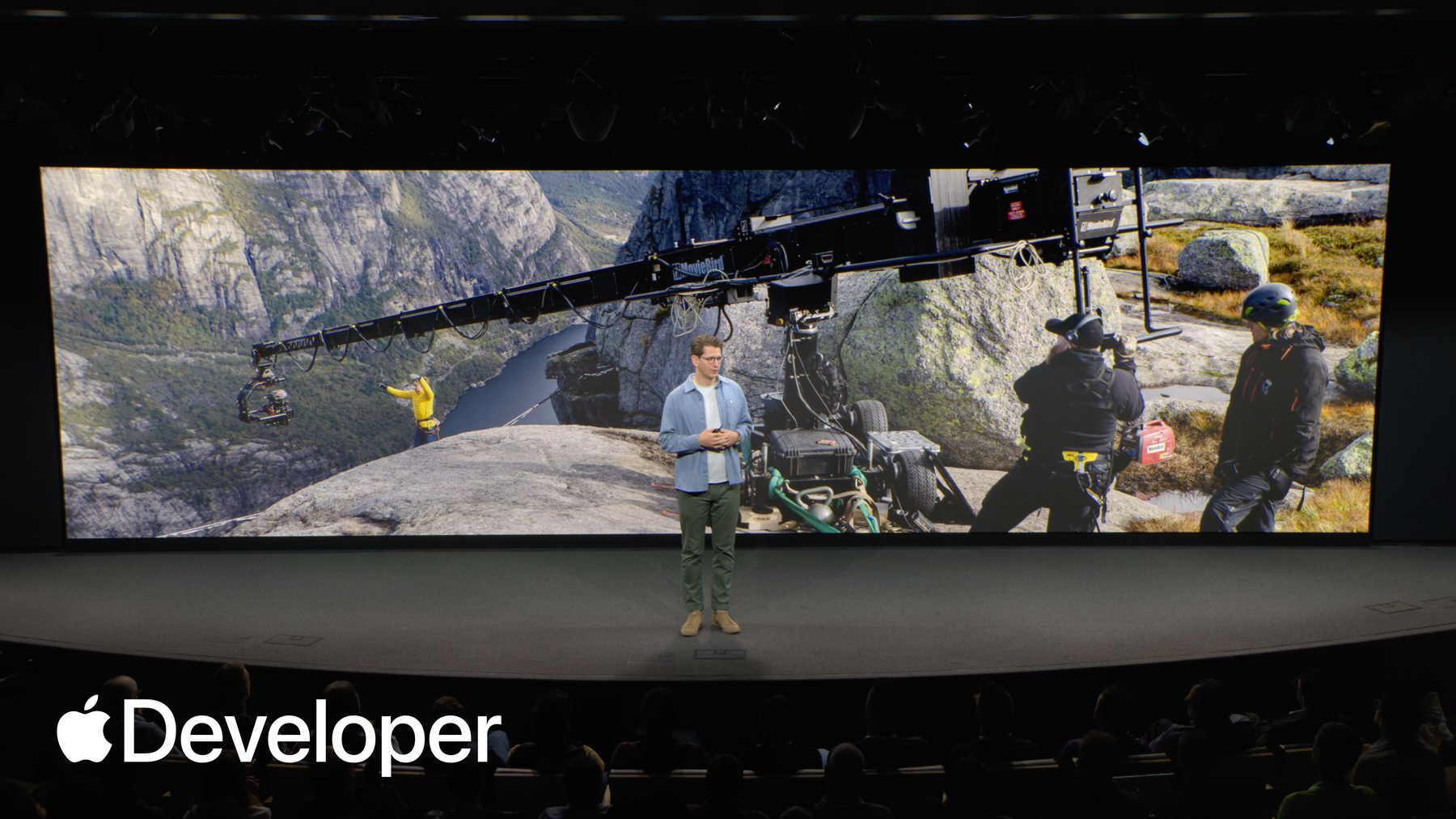
Now, it's worth noting that Motion comfort has long been a consideration for folks working in giant screen and Imax. But with spatial and especially immersive 180 and 360 formats. You are now responsible for the audience's entire field of view. And while that presents a unique frame for storytelling, it's also a huge responsibility. That means if your camera is slung out over a 3000 foot cliff and it happens to wobble a little bit, your audience are going to feel that exact wobble, too.
Now there's someone I'd love you to meet. I'm going to invite Igor to join us on stage and share a little bit more about the research he and his team have been leading into Motion comfort for immersive media experiences. Igor.
Thanks, sir.
Thanks, Elliot. Hi, I'm Igor. I'm a research scientist at Apple. And as we know, Apple Vision Pro gives you an opportunity to share all new kinds of immersive stories with your audience. and as Eliot mentioned, with an immense field of view comes an immense responsibility.
According to the US National Library of Medicine, 1 in 3 people are susceptible at least to some form of Motion discomfort in their everyday lives. So when we are building experiences with Motion, we want to prioritize people's comfort.
Today, I want to talk about how we find the right balance and make immersive content that is both enjoyable and accessible to more people. First, it's important to understand why people experience motion discomfort.
The leading cause is a conflict between the motion we see with our eyes, and the vestibular sensation that we sense with our ears or inner ears when we move through the real world. there is typically absolutely no conflict. The visual and vestibular senses are perfectly aligned. They both communicate Motion.
However, when you move through a virtual world, you're typically stationary, as when you're sitting in a theater like this, and the only motion you sense is with your eyes, like so.
So let's consider some of the factors that you can control to minimize motion discomfort.
Starting with camera motion. Because immersive content can offer viewers such an expansive field of view, we have to be very aware of camera motion. Unlike in traditional media, anything that happens to the camera makes it feel like the viewer themselves is moving within the scene.
Even if your camera remains stationary, your scene might still communicate Motion if the content within it is moving. For example, if your story contains moving objects that take up the majority of the audience's field of view, that can cause a similar sensation to a moving camera.
This means that it matters how much visual space objects occupy. This varies with proximity from the camera as well as object size.
In other words, camera or object motion is less of a factor if the objects are far away from the camera and are smaller as you see on the left. This means that they occupy less visual space compared to the scene on the right.
Texture and contrast within an immersive scene are also important. Let's see this in motion.
Notice how simple textures with low luminance contrast, like the scene on the left, make potential camera motion less susceptible than textures on the right.
We call the combination of these four factors motion intensity.
And there are other factors that also warrant mention like camera orientation. It's best if the camera is aligned with the horizon.
As we know, motion predictability also matters. Motions that the users can anticipate are generally more comfortable.
And finally, scene cuts its best when the scene cuts don't have sudden changes in object proximity or camera angles, and that is to avoid disorienting the viewer.
Back to Motion intensity. One effective way to reduce it is, of course, to decrease the amount of visual space Motion occupies on the screen, and this can be done by the viewer, but it comes at a cost.
One of the features. Motion sensitive people can use is a detect high motion setting, and this visionOS feature is enabled by default for consumer created App Nap content, and it can automatically pause video or reduce immersion when large motion is detected.
And people have who have extreme sensitivity to motion, can always choose to watch any immersive content in a windowed mode, including Apple Immersive Video, But of course the trade off is then these people then miss out on the immersive nature of the content. And that is why the best place to deal with Motion is during production. Of course, just because Motion intensity can lead to Motion discomfort doesn't mean that you need to eliminate it from your content.
Your goal is creators is to balance motion intensity throughout your story.
Let's use an analogy to help visualize this balance.
You can think of motion discomfort as the water level in a bucket. The higher the water level, the greater the discomfort.
We also know that motion discomfort symptoms subside over time. And we'll represent this with a hole in the bucket.
For example when there is no camera Motion the faucet is closed and there is no water in the bucket, so no discomfort.
Importantly, even if there is motion, as long as the motion intensity is within certain limits, the leak should be able to keep up with the flow, preventing a build up of discomfort.
But when the motion intensity is high, the faucet is wide open and the bucket is filled rapidly.
Keep in mind that the size of the bucket and the hole also vary from person to person, so folks with a small bucket may experience discomfort from even minor motion, while those with a larger bucket can tolerate a lot more.
And although you can't control the size of the bucket, you can control the input As creators. The point is not to avoid Motion altogether, it is to manage this flow over time.
In other words, when you plan moments of motion within your scene the same way you might mapping out emotional highs and lows in your narrative, you can potentially improve the experience for everyone watching.
Now back to Elliot. To show you how you can manage this in your own projects.
Thanks, Igor. It's pretty exciting, I think, to see some tangible research being applied to this topic. We all know how much it can spark plenty of subjective debate amongst us filmmakers as we make our projects.
So let's see how we can apply some of these learnings to my short film by adapting our capture for better Motion comfort.
It looks like our astronaut is making some speedy repairs and is already off to another planet, so hopefully it wasn't our creepy alien that scared him off. But for the final shot of this scene, let's take a look at how I can plan camera movement to follow the ship. I want the audience to feel connected, like they're right there with the astronaut taking this next step on the journey. First, I'll want to make sure that I'm not moving on too many axes. If I do a simple dolly Push, for example, moving towards the ship, that's one axis like this.
We could move on two axis, right? If we did a dolly in and a jib up like this.
Or if we had a really strong creative motivation. We could dolly in, jib up and tilt the camera all at the same time. Like this. But in the case of this scene, I'm going to keep it simple. Just two axis.
Next, I'm going to want to think about the speed of the movement. As Igor explained broadly, the faster the camera moves, the more discomfort our audience will feel. So moving the camera quickly towards the ship might feel a little bit less comfortable and less accessible than a slower, more deliberate move like this.
However, as we just heard, speed is also closely tied to the camera's proximity to objects in the environment.
For example, if we move the camera very slowly but keep it close to the ground like this, we get a huge amount of detail and a strong sense of motion intensity moving slowly this close to the ground might actually feel more uncomfortable than a faster camera move from a higher increased height. So for now, I'm going to keep the camera higher up and at the same altitude as our ship.
Right. So we pull that all together and let's see what we have. We lift up, we gradually start our two axis move and our ship flies off into the distance.
And I really hope there's going to be some budget for sound design.
Okay, so I've got my considerations for when we shoot, but what else can I do to make sure this is going to be comfortable for everyone watching in Vision Pro? I want them to love it. And while with all shoots, things don't always go to plan. And that's totally okay because that's what's post-production is for. I'm only joking.
But in post we can fine tune the motion that was captured. We can amend it, and we can make decisions that can improve the comfort.
First, we can fine tune the duration of the movement that we've created. Let's say I get a little bit of feedback that the shot feels uncomfortable. Well, then I can just trim it down with the editor. I get to keep the movement, but simply show less of it.
And secondly, I can work with the editor to increase the predictability of the movement. Just like looking forward in a car on a windy road, the more predictable emotion feels, the more comfortable it will be.
In the shot we've just created. I've noticed that it runs a little bit long and it starts without a clear cue for the viewer. So let's fix it.
I've started the shot with a gradual fade up and then accelerated the camera gradually as the ship lifts off.
I've also shortened the shot, and I'll make sure to follow it with a static moment in the edit later on, just to give our audience a chance to reset. There's going to be no overflowing buckets here, Igor.
So as you consider adding motion to your immersive and spatial projects, remember that you can draw your audience in with a deeper sense of connection as you do. But if you add motion lead by establishing your creative motivation. Move only when it serves the story without undermining the other foundations that we've covered today. Be precise and deliberate with your camera moves. Choose your axis. Set an appropriate speed and mind the proximity to objects and refine it in post-production, fine tuned movement by adjusting its duration and making it as predictable as possible. With these considerations, your audience can stay immersed in your story and enjoy every second of it.
And if you're looking for some great examples of how motion can be used for connection, then check out the series elevated. The team here have used movement as the primary storytelling device, offering a unique perspective on a place beautifully combined with narration. After all, who wouldn't rather fly down a valley like a bird than just look at it from a static viewpoint? And for those of you seeking a thrill, the Hill Climb episode of adventure shows what's possible when you push motion to an extreme. And both are available today on the Apple TV app.
As I said earlier, there really hasn't been a better time or a more exciting time to create immersive experiences with spatial and Apple Immersive Video. So as you venture out to tell your own stories, remember to design for difference and lean in to those creative superpowers of these incredible formats, considering presence, authenticity, proximity, and connection.
By embracing these new considerations and responsibilities that come with them, you can craft experiences that are not just immersive, but that drive forward this frontier of immersive storytelling.
The whole team, and I can't wait to see what you create and to meet many of you here later today. But for now, I'm going to hand it back to serenity. Thank you.
-