

-
Boost discoverability and engagement with the Apple Games app
The Apple Games app is an all-in-one gaming destination designed to help players jump back into their games, find their next favorite, and have even more fun with friends across iPhone, iPad, and Mac. Learn how the Games app can help you boost engagement and visibility through features like achievements, leaderboards, challenges, and activities.
This session was originally presented as part of the Meet with Apple activity “Press Start: Game development on Apple platforms.” Watch the full video for more insights and related sessions.资源
相关视频
Meet with Apple
-
搜索此视频…
Welcome everyone. My name is Mischa. I'm on the App Store product team at Starling said. And I'm so excited to share a lot more about the brand new Apple Games app with all of you today. Start with an overview of all the ways that your games can be discovered across the Apple Games app. Then we'll share how you can boost your discoverability in the games app by initializing Game Center. And lastly, I'll cover how you can get the most reach and engagement by adding new and existing Game Center features to your games.
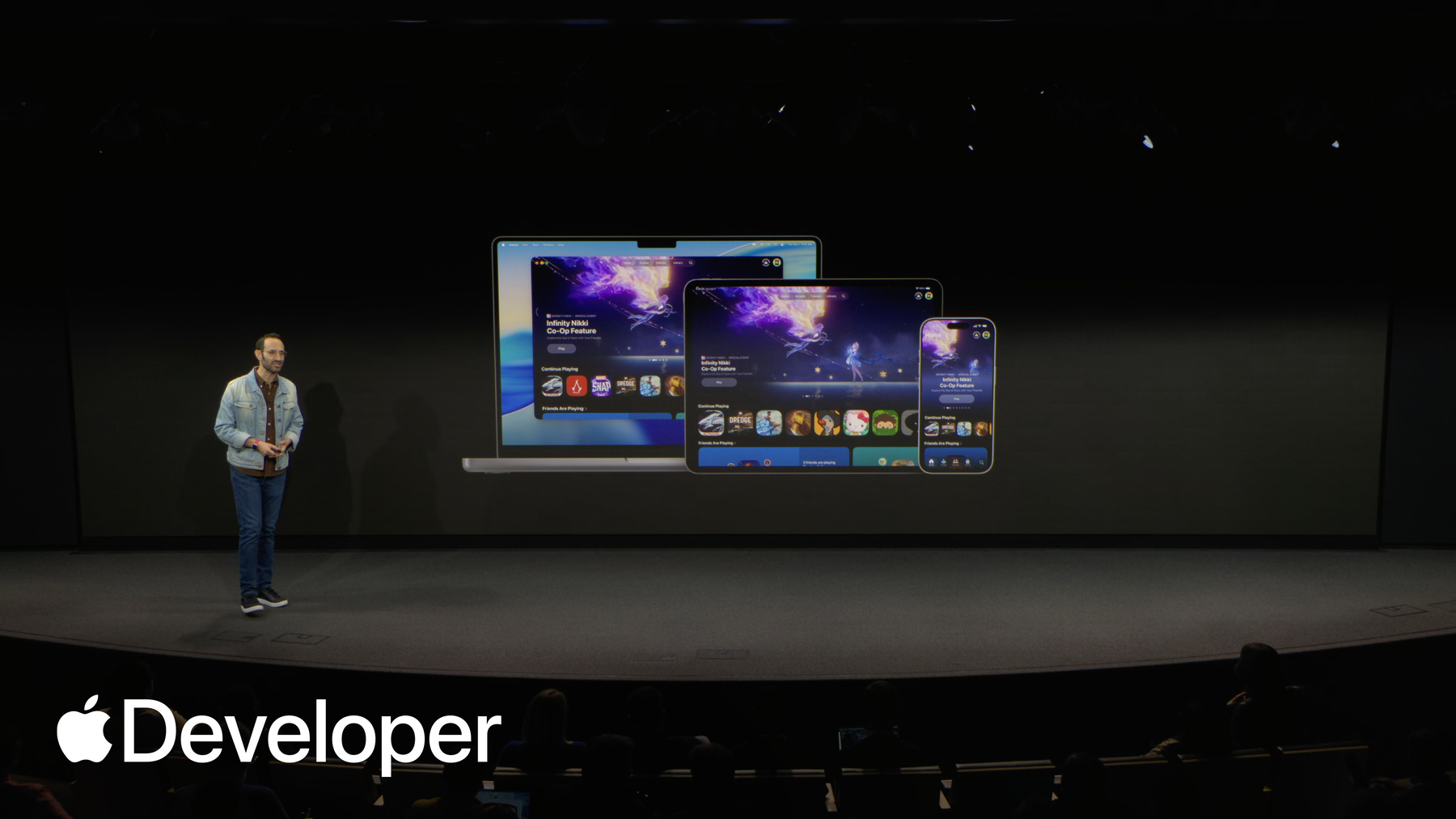
Okay, let's dive in. As you all know, today people can visit the App Store to discover new apps and games and learn more about them. And this fall, we launched the Apple Games app, a brand new all in one destination for players and their games. The games app complements the App Store and is designed to help players more easily discover new games that are personalized to them. Jump back into their favorites and connect with their friends.
The games app is automatically installed with our latest operating system, OS 26 on iPhone, iPad and Mac so players can seamlessly discover, launch, and engage with their games across their devices. Let's take a look. The first thing players see when they open up the games app is the home tab, which offers a personalized look at what's new across all of their games. At the top, players can see a carousel that shows the latest activity and events that are happening inside of their games. They'll also see highlights of their friends activity from Game Center, and personalized recommendations for new games and new releases featured by our editors, and so much more.
They continue playing section shows players the last games they were playing so they can jump right back in. It also shows the games that they've recently downloaded so they can remember to check them out next. Players can then scroll down on the home tab to explore games in new ways, like the Friends are Playing section, which makes it easier for players to discover what games their friends are playing. Personally, my favorite way to find out about new games.
There's also the new top played games chart that shows what games are trending and being played the most right now.
As players scroll down the rest of the home tab, they'll find collections curated by our editorial team And category pages where they can browse their favorite genres, like card games.
The home tab also includes a dedicated section highlighting in-app events from the games that players already own to inspire them to return and enjoy the latest content.
Next, we come to the friends tab, which makes it easier than ever for players to connect and play together on the friends tab. Players can invite friends to compete in challenges, get recommendations of what games they can play together, and see what their friends are up to in all their games.
Last but not least is the library tab, where players can quickly navigate to key waypoints like arcade games, new events in their games, and their achievements.
They can also view all the games that they've ever downloaded from the App Store on any of their Apple devices, which is great for rediscovering old favorites. And of course, players can also tap here to search for all the games from the App Store. When they tap to view a game, they'll get to the game page. Each of your games has a dedicated page where players can learn all about it.
As you may know to appear on the App Store, you provide all of your metadata via App Store Connect. That same metadata is used to automatically power your game page on the games app, such as your icon name, age rating, your screenshots, description, and more. So no additional work is needed to make all of that appear right here.
To complement your icon, the games app automatically customizes your game Pages background colors to provide visual harmony.
When you support Game Center, players can see the emojis of each of their friends that they most recently played the game, showing up all around your icon.
And when you integrate more Game Center features, your game page really comes to life. Putting your features and related social activity front and center, like when a friend passes them on a leaderboard.
They can also see which of their friends are playing the game and all the challenges that they can invite them to.
Leaderboards and achievements are also displayed on your game page, so players can see their progress and recent rankings, and to help players connect with friends. Every player has a profile that shows their latest game activity, letting them see what Leaderboards and Achievements and games their friends are playing, and they can even invite them to play together, all from within the games app.
So that was a quick preview of the new Apple Games app. Now let's take a look at how you can take full advantage of all the new services within the games app. Starting with Game Center initialization.
As you may already know, Game Center is a set of features that make playing on Apple devices more connected and rewarding for players.
And now, with the games app, we've given these features a new home to better drive social discovery and re-engagement with your games.
The way to get started with Game Center is by adding initialization to your game. Initialization automatically signs players into their Game Center account, which is set up at the system level using their Apple ID.
Initializing Game Center enables your game to appear in key placements across the games app, including on the top played games chart and on the friends are Playing section. Motivating them to download and play your games.
And to give your game additional opportunities for social discovery. These placements can appear on the App Store as well. Keep in mind, only players who are initialized will appear in the friends or playing section and be counted towards the top played games chart. So initializing as many of your players as you can will maximize your chance to appear in these key placements.
Finally, Game Center makes it easier for players to seamlessly continue playing their games across their Apple devices. For example, when someone plays a game with Game Center on their iPhone, it will not only be the first game they play there or see there, it'll actually also be the first game they see on their iPad or their Mac. So enabling Game Center is a great way to stay on top of the mind for your players as they move between their Apple devices.
Now let's talk about how you can take your potential for discovery even further by adding more Game Center features to your game.
In this section, we'll talk about how you can attract new players and engage existing ones by implementing features like Achievements, Leaderboards, Challenges and activities.
To start, let's talk about Achievements Achievements. Reward players for completing milestones in your game and they encourage deeper engagement.
Progressive Achievements are particularly effective at motivating players to continue making progress, since we automatically show Messages to give them just an extra bit of encouragement.
Players can see achievements across the games app, including ones their friends are getting front and center on the home tab, as well as on their friend's profile pages and in their library. Players can see their completed achievements and their progress towards getting their next ones.
When players tap on an achievement, they'll see all of its details, including any progress they've already made, which of their friends have unlocked the achievement and its rarity? Automatically calculated based on the number of players who've earned it.
Next up, let's explore Leaderboards.
Leaderboards give players a way to measure their skills and encourage friendly competition. They're designed for flexibility so you can use them to track things like most coins collected in a level or best daily puzzle time. And they can be ongoing for things like all time high scores or reset on a recurring basis, such as daily or weekly.
Leaderboard activity appears all across the games app, motivating players to jump back into your game. And best of all, players get notified when a friend passes their high score. That way, they can reopen or redownload your game to reignite the competition.
Next up are challenges, which are a great new way for players to bring their friends into your game.
With Challenges, players can invite up to 15 friends who gets to see who gets the best score in a time based competition. Challenges let you turn single player experiences into social ones that players can share with their friends. And best of all, challenges are built upon existing leaderboards. So if you already have created a suitable leaderboard, you can enable a challenge for it with no additional code required.
Players can discover challenges across the game's app, including in the hero area of the home tab on the friends tab, and on friends profile pages, making them a great way for new players to discover your game and invite their friends in on the fun.
Once players start a challenge, they They can see how much time remains, where they rank among their friends, and get notifications whenever anyone beats their score. And when time is running out, keeping everyone coming back into your game to see who can be crowned the winner.
To close out the Game Center features section, let's talk about activities.
Activities allow you to create a deep link that brings players to a specific destination in your game, and they can be associated with any other Game Center feature that we've already talked about. So you can make them even more engaging.
There you go. For example, with an activity associated to this challenge, tapping the Start Challenge button that you see opens the game right to the point where players can begin competing in that challenge immediately. You could also associate activities with the leaderboard for a daily word puzzle. Deep linking players right into today's puzzle.
And lastly, you can use activities to link directly into multiplayer matches, letting you promote your multiplayer experiences across the games app so players can discover them and invite their friends to play even into versions of your game that are outside the Apple ecosystem.
And that's how you can use Game Center features to make the most of the games app.
Game Center features also appear within the Game overlay, which gives players quick access to important information about your game at the touch of a button, like their achievement progress, leaderboard updates, and friends who are playing. All without needing to leave the game.
Now that we've covered all those Game Center features, let's recap. So first, just by publishing on the App Store, your games automatically appear on the games app so players can more easily jump back into your games, rediscover them in their library, and find them in search.
You'll then get more value by initializing Game Center, which unlocks social discovery for your games through friend recommendations and the top played games chart.
And the more Game Center features and in-app events you adopt, the more you can maximize your reach and engagement potential, whether it's via push notifications or appearing on the home tab of the games app.
So that's how you can make the most of the games app. Start by implementing Game Center initialization and consider additional features like Leaderboards and in-app events, and for unity developers. Most of the features that we cover today are also available as part of the unity plugin.
You can find out more about the games app and Game Center features in two DK 25 sessions. Engage players with the Apple Games app and get started with Game Center. You can find these on the Apple Developer website and on our YouTube channel, along with more resources and documentation on our developer website. And of course, be sure to explore the games app on your iPhone, iPhone, iPad, and Mac to experience all these great new features firsthand. And now I’ll turn things over to Kelli from our editorial team.
-